English (£ GBP)


We're here to help
One-to-one expert advice and support to help with all enquiries.
Chat opening hours 9:00am - 17:30pm (GMT) Monday-Friday
Available Languages




Other ways to contact
Get kit, account and purchasing support. We’re here via email, chat or on the phone.
0208 380 7400 care@cvp.com Contact FormBusiness Hours
Our offices are open
Monday to Friday 09:00 - 17:30 GMT.
*We are closed Saturday, Sunday and Bank Holidays.

Blackmagic Videohub 10x10 12G
Blackmagic Videohub 10x10 12G (p/n VHUBSMAS12G1010)
blackmagic-vhubsmas12g1010-videohub / VHUBSMAS12G010010Price Pledge
Price Pledge ensures we won't be beaten on price! We actively monitor the prices offered by our competitors daily and adjust our own pricing accordingly.
Price Pledge
Price Pledge ensures we won't be beaten on price! We actively monitor the prices offered by our competitors daily and adjust our own pricing accordingly.
Price Pledge
Price Pledge ensures we won't be beaten on price! We actively monitor the prices offered by our competitors daily and adjust our own pricing accordingly.
VAT pricing switch
Which price would you prefer to see across the whole site as the default pricing? This can be changed back at any point from any product page or from within your account. To add your VAT number to your account, please go to VAT settings. For more info on VAT, please read VAT charges explained.
Please note! Pricing will revert back to VAT pricing in the basket and checkout until a valid VAT code is entered into the checkout and delivery country is selected.







Price Pledge
Price Pledge ensures we won't be beaten on price! We actively monitor the prices offered by our competitors daily and adjust our own pricing accordingly.




Business and freelance customers only, Credit subject to status.
Billie B2B - Buy now, pay in 30 or 60 days

Available on our platform now
Buy Now. Pay Later with Billie.
Billie is the leading provider of "Buy now, pay later" (BNPL) payment methods with real-time customer verification for B2B online shops. With BNPL, business customers can pay invoices after receiving goods or services and have the flexibility to decide when and how they want to pay.

Billie in three steps

Select Billie as payment method
When all desired items are in the shopping cart, simply select "Billie" as payment method at the checkout.

Enter the company data
Enter the company data and immediately find out if the payment has been approved.

Receive payment info
Receive payment information by email and be reminded via email or Billie Buyer Portal when it's time to pay.
FAQs
Buy today and conveniently pay later within 30, 60 or 90 days, allowing you to check the goods prior to paying. Here's how "Buy Now Pay Later" works:
Step 1:
Add all the items you wish to purchase to your shopping cart and select "purchase on account" with Billie as your payment method at the checkout.
Step 2:
Enter the required information. After that, you will immediately know if your payment by invoice purchase has been accepted. No registration required.
Step 3:
Billie will send you the payment information via email and send a reminder when it's time to pay.
Once you complete your purchase, you'll also get access to your personal Billie Buyer Portal. Here you can view, download, manage your invoices and change your payment method.
Corporate customers can use payment by invoice free of charge. There are no fees for buyers when selecting "payment by invoice" with "Billie".
Once you complete your purchase, you'll receive all your payment information, including account information for the bank transfer from Billie via email. Additionally, you'll receive access to your personal Billie Buyer Portal where you can view all your Billie invoices and related payment information. You can also conveniently change the payment method from bank transfer to direct debit.
In your personal Billie Buyer Portal, you can view the status of your Billie invoices. You can see in the buyer portal as soon as you settle a payment. Please note that the processing of a transfer can take up to three working days. Only after your payment has been successfully issued will the status of the associated invoice be updated. If this process takes more than three business days, please contact Billie customer service.
You may receive a payment reminder if you make your transfer shortly before or after the due date. Once we have received the payment in our system, the payment reminder process will be automatically deactivated.
If corporate customers decide to pay by invoice with Billie, a check is made to see if the order can be accepted for the requested amount. Not only is this check based on general company identification information such as, address, company name, but primarily on payment history, invoice amount and, if applicable, external information from credit agencies. These factors determine whether pay by invoice can be approved. If pay by invoice with Billie is not accepted, then another payment method needs to be selected to complete the order.
For self-employed individuals or companies with the GbR legal form, the information is not always verifiable with credit agencies. In this case, enter your first and last name in the check-out window. This allows real-time verification via SCHUFA scoring and only then can you proceed to check-out via Billie.
The invoice is provided to you by Billie, after you completed your purchase and we have shipped your items.
It is sent to you by email, to the email address provided during the purchase, together with the payment instructions.
It is also available to download via Billie's Buyer Portal.
Billie is the market leading provider of "Buy Now, Pay Later" (BNPL) payment methods, using real-time customer verification for B2B online stores. With BNPL, business customers can pay invoices after receiving their goods or services and have the freedom to choose how and when they want to pay.
Billie was founded in 2016 with a mission to modernize the B2B transaction system and provide the freedom to online stores and their business customers to pay and get paid on their own terms, with innovative digital payment services and modern checkout solutions.
For more information, visit billie.io.
Can I pay on account with Billie as a corporate customer?
Yes, corporate customers can purchase with Billie on account at CVP.com. If you don't have the option to pay with Billie, this can be due to several reasons. Please note that the conditions for purchase on account for corporate customers are set by the provider Billie GmbH. You can find more information here.
What is the payment term when buying on account for corporate customers with Billie?
When purchasing on invoice with Billie, corporate customers have 30, 60 or 90 days to pay their invoice.
Can I also pay by direct debit with Billie?
Yes, corporate customers also have the option to pay their invoice by direct debit. A corresponding mandate can be issued in the Billie Buyer Portal. After successful completion of the purchase, corporate customers receive access to their personal Billie Buyer Portal via email, where invoices can be viewed, managed and payment methods changed.
What is the Billie Buyer Portal?
Once the purchase is complete, you will receive access to your Billie Buyer Portal. Here you will be able to view and download all your Billie invoices. Additionally, you can change the payment method and issue a direct debit mandate instead of a bank transfer to settle your invoices.
I am a corporate customer and would like to use "purchase on account" via Billie. Why is my company name not displayed at checkout?
To verify your payment by invoice, Billie performs a comparison of the customer data you provided against data held from Billie's credit agencies. If Billie can't match your customer data with our credit agencies information, either your company name may not be displayed, or you'll be offered a different name suggestion in the checkout window.
For self-employed individuals or companies with the GbR legal form, the information is not always verifiable with credit agencies. In this case, enter your first and last name in the check-out window. This allows real-time verification via SCHUFA scoring and only then can you proceed to check-out via Billie.

Business customers only, T&C apply, Credit subject to status.
Price Pledge
Price Pledge ensures we won't be beaten on price! We actively monitor the prices offered by our competitors daily and adjust our own pricing accordingly. We pledge to match the price on most products offered by UK based dealers that are selling officially imported or manufactured UK stock, with full manufacturer warranty and is authorised to do so by the relevant manufacturer.
Have you found it cheaper?
Details of where you have found the cheaper item.
Please read these Terms and Conditions before submitting your request
Prior to the point of sale CVP will endeavour to match the price on most products subject (but not limited) to the following criteria:
- The competitor must be UK based and an officially appointed dealer for the manufacturer of the goods in question.
- Promotional offers aren't eligible for price matching and must be the price in GBP at which the product is normally sold at.
- The competitor must have the goods IN STOCK and available for purchase.
- The competitors price can be verified in writing.
- The goods and level of after sales support on offer must be identical (model number must be identical with identical warranty).
- Competitors final cost including Postage and Packaging will be taken into account.
- We do not price-match eBay, Amazon, Amazon sellers, clearance stock or specialist retailers.
- We cannot match bulk promotional offers such as buy one get one free.
- The competitors price must be publically advertised online in GBP and cannot include any discounts.
- No other promotional offers or vouchers can be used on top of the price match.
For further details please call us on 02083807400.

 Share to Facebook
 Share to X
 Share to Reddit
 Share to Hotukdeals
Shipping Calculator
Terms and conditions
The prices shown are an estimate based on the purchase of a single item with nothing else in your basket. The prices and options do not include shipping regulations and duties which will be checked in the checkout process.
At CVP we always strive to get your order to you as quickly as possible, but in the interest of clarity please note that next day is defined as the next working day (ie: excluding weekends, UK bank holidays and public holidays).
*Due to unforseen circumstances, on some occasions same day dispatch may not be possible. In this event we will always do our utmost to keep you fully informed of any delay imposed.
Effective January 1, 2017, CVP will change its requirements for shipping lithium batteries by air. This includes:- We will continue to ship batteries to all UK addresses. We will not ship any batteries to countries outside of the EU. For shipping to countries in the EU, please check below if this can be shipped to your country. All batteriies will be shipped within the EU via Economy Road, so may take longer to arrive.
Orders placed and security cleared before 14:00GMT where all items are in stock will normally be dispatched on the same business day for ultimate delivery according to the shipping method selected.
***Free Shipping Promotional Offer Terms and Conditions. 1. This free shipping promotional offer is valid for online purchases only. 2. The offer is applicable exclusively to deliveries within the UK mainland. 3. Deliveries to the Channel Islands and Highlands are excluded from this promotion. 4. Orders qualifying for this promotion will be delivered on the next business day, provided all items are in stock at the time of purchase. 5. The offer is subject to availability and may be withdrawn or amended without prior notice.
Where an item is not physically in stock, the actual delivery time will be extended by the lead time for the product in question. Shipping to the Channel Islands, Northern Ireland, Republic of Ireland and some remote UK postcodes are not next day but 2 working days.
All transactions are subject to CVP security checks which are for our mutual protection against identity theft and fraud. In the event that additional checks are required you will be informed and dispatch time will be extended by the time taken to resolve any queries raised. We apologise for any inconvenience this may cause.
Please select country for information on shipping, or for further information please read our Delivery and Collection or Terms and conditions
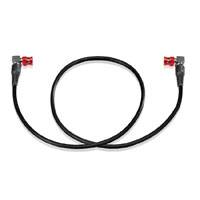
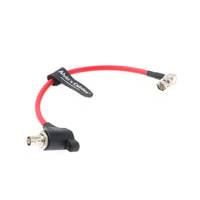
Blackmagic Videohub 10x10 12G Accessories
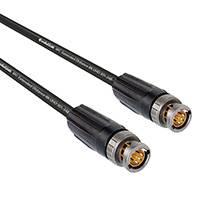
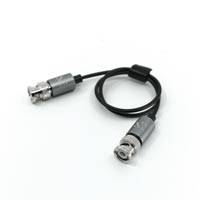
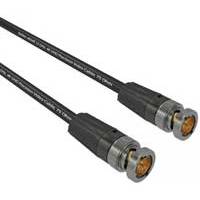
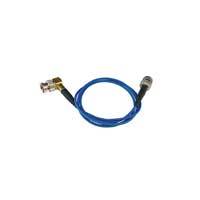
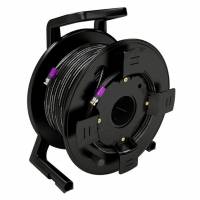
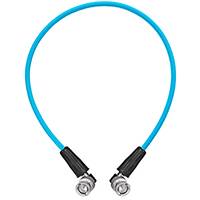
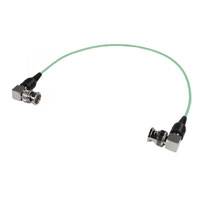
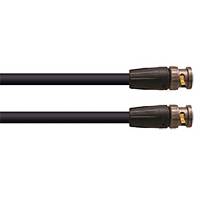
Accessories that are recommended by CVP
Product Details
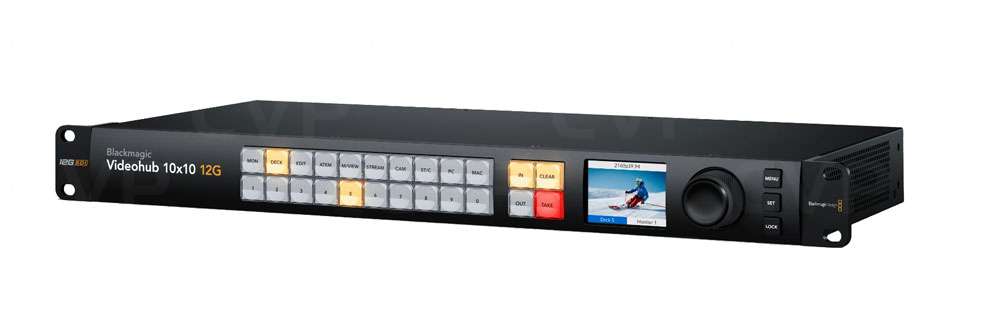
The Blackmagic Videohub 12G-SDI video routers offer a solution to the problem of complex cable connections in a studio. With support for 12G-SDI, the routers allow for the simultaneous routing of SD, HD, and Ultra HD signals. The front panel design is sleek and includes an LCD for labels and live video, shortcut buttons, and a metal spin knob for browsing sources. Ethernet connectivity also allows for remote control using external hardware or software control panels.
The Videohub 12G eliminates the need for complicated system diagrams by allowing any video input to be connected to any output, or a single input to multiple outputs. This provides flexibility for changing needs and emergency situations. The front panel also includes shortcut buttons for quick source and destination selection, as well as an LCD for displaying labels and live video. With advanced 12G-SDI technology, the router can support any video format and standard, making it a versatile and efficient tool for live production and broadcast.
- 1x Blackmagic Videohub 10x10 12G
- 1x Welcome wallet with QR code for software download
About the Blackmagic Videohub 10x10 12G
| Connections | |
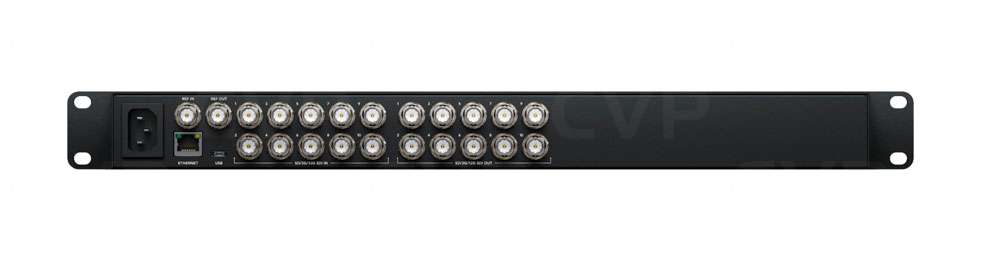
| SDI Video Inputs. | 10 |
| SDI Video Outputs. | 10 |
| SDI Rates. | DVB-ASI, 270Mb, 1.5G, 3G, 6G, 12G. |
| Video Input Re-Sync. | None |
| SDI Reclocking. | On all SDI outputs. |
| Reference Inputs. | Tri-Sync or Black Burst. |
| Reference Outputs. | Reference terminating loop output. |
| Ethernet. | Supports 10/100/1000 BASE‑T. |
| Computer Interface. | USB‑C |
| Standards | |
| SD Video Standards. | 525i59.94 NTSC, 625i50 PAL |
| HD Video Standards. | 720p50, 720p59.94, 720p60 |
| . | 1080i50, 1080i59.94, 1080i60 |
| . | 1080p23.98, 1080p24, 1080p25, 1080p29.97, 1080p30 |
| . | 1080p47.95, 1080p48, 1080p50, 1080p59.94, 1080p60 |
| . | 1080PsF23,98, 1080PsF24, 1080PsF25, 1080PsF29.97, 1080PsF30 |
| 2K Video Standards. | 2Kp23.98 DCI, 2Kp24 DCI, 2Kp25 DCI, 2Kp29.97 DCI, 2Kp30 DCI |
| . | 2Kp47.95 DCI, 2Kp48 DCI, 2Kp50 DCI, 2Kp59.94 DCI, 2Kp60 DCI |
| . | 2KPsF23.98 DCI, 2KPsF24 DCI, 2KPsF25 DCI, 2KPsF29.97 DCI, 2KPsF30 DCI |
| Ultra HD Video Standards. | 2160p23.98, 2160p24, 2160p25, 2160p29.97, 2160p30, 2160p47.95 |
| . | 2160p48, 2160p50, 2160p59.94, 2160p60 |
| 4K Video Standards. | 4Kp23.98 DCI, 4Kp24 DCI, 4Kp25 DCI, 4Kp29.97 DCI, 4Kp30 DCI |
| . | 4Kp47.95 DCI, 4Kp48 DCI, 4Kp50 DCI, 4Kp59.94 DCI, 4Kp60 DCI |
| SDI Compliance. | SMPTE 259M, SMPTE 292M, SMPTE 296M, SMPTE 372M, SMPTE 424M, SMPTE 425M level A and B |
| . | SMPTE 2081-1, SMPTE 2081-10, SMPTE 2082-10, ITU‑R BT.656 and ITU‑R BT.601 |
| SDI Audio Sampling. | Television standard sample rate of 48kHz and 24-bit. |
| SDI Video Sampling. | YUV 4:2:2 and RGB 4:4:4 |
| SDI Color Precision. | 10, 12‑bit RGB 4:4:4 in all HD and 2K modes, Ultra HD modes |
| . | up to 2160p30 and 4K modes up to 4Kp30 DCI. 10-bit YUV 4:2:2 in all modes. |
| SDI Color Space. | REC 601, REC 709, REC 2020 |
| SDI Auto Switching. | Automatically selects between 270Mb SD‑SDI, 1.5G HD‑SDI |
| . | 3G level A and level B HD-SDI, 6G HD‑SDI, 12G‑SDI and DVB‑ASI on each input so that |
| . | each input can be running a different television standard. |
| SDI Metadata Support. | Video payload identification ancillary data as per SMPTE 352M. |
| Control | |
| Built in Control Panel. | 24 buttons for local control of Videohub with 3 buttons and search |
| . | dial for menu control. 2.2 inch color display. |
| External Control Panel. | Includes Blackmagic Videohub software control panel for Mac and Windows. |
| . | Supports Videohub Smart Control Pro and Videohub Master Control Pro hardware panels |
| . | Includes Blackmagic Videohub SDK and Ethernet Videohub Control Protocol. |
| Control Panel Connection. | Ethernet |
| Software | |
| Software Control. | Router control included free for Windows and Mac. |
| Internal Software Upgrade. | Via included updater application. |
| Operating Systems | |
| Compatible with. | Mac 12.0 Monterey, |
| . | Mac 13.0 Ventura or later. |
| . | Windows 10, 64-bit. |
| . | Windows 11. |
| Display | |
| Displays. | Built in 2.2 inch LCD for video and menu settings. |
| Power Requirements | |
| Power Supply. | 1 x Internal 100 - 240V AC 50/60Hz. |
| . | IEC power cable required. |
| Power Fail Protection. | Crosspoint connections preserved and restored instantly at power on. |
| Power Usage. | 20.8 W max. |
| Physical Installation. | 1 rack unit height. |
| Physical Specifications | |
| Length. | 482mm |
| Width. | 236.14mm |
| Height. | 44.2mm |
| Weight. | 3kg |
| Environmental Specifications | |
| Operating Temperature. | 0° to 40° C (32° to 104° F) |
| Storage Temperature. | -20° to 60° C (-4° to 140° F) |
| Relative Humidity. | 0% to 90% non-condensing |
| Warranty. | 3 Year Limited Manufacturer's Warranty, and 12 Month Warranty on the front panel |
The new Blackmagic Videohub 12G-SDI video routers let you connect all your equipment without creating a complex cable mess! Blackmagic Videohub routers support 12G-SDI so they allow you to connect and route any combination of SD, HD and Ultra HD on the same router at the same time. Plus they have zero latency so are perfect for live production and broadcast! The design features an elegant front panel with LCD for labels and even live video, shortcut buttons and a machined metal spin knob with soft rubber coating that lets you browse video sources. Ethernet is also included so you can remotely control the router using a range of external hardware or software control panels.
Eliminates Complex Cable Mess
Blackmagic Videohub 12G eliminates cable mess because you can plug all your SDI equipment into the router, then do connections electronically! You don't need complex system diagrams for your studio because you can connect any video input to any video output, or even a single video input to multiple video outputs. This means monitors can view any source in the studio! You get total flexibility to handle constant change or even emergencies. It lets you use multiple HyperDeck recorders for redundant mastering. Or you can route video to multiple streaming processors for all broadcast platforms. Blackmagic Videohub 12G is also great for adding extra inputs to an ATEM switcher!
Elegantly Designed Front Panel
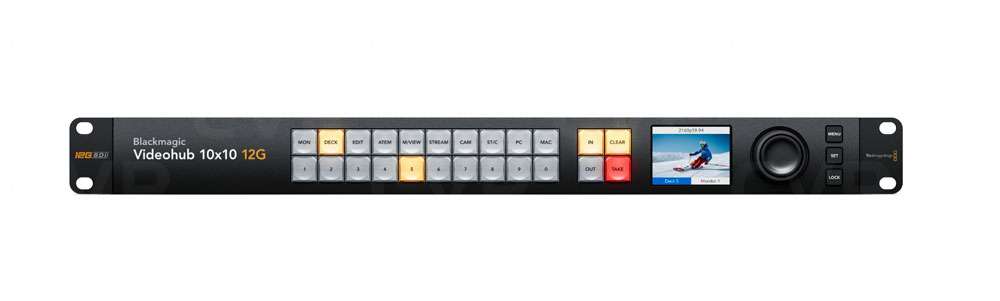
The built in front control panel lets you route video, so you get the perfect solution for live production racks that don't have the space for extra hardware panels. The front panel is similar to a Videohub Master Control Pro and it features a spin knob for browsing, direct entry buttons for speed and an LCD for displaying labels. However because the panel is built into the router, you can also see live video on the LCD! The LCD also has menus so it lets you change router settings.
Shortcut Buttons
The shortcut buttons allow direct entry of sources and destinations. They can also be used with the numeric keys. Plus if a button uses a dedicated input label, then they will act like a cut bus!
In Button
The in button switches the panel over so the spin knob and shortcut buttons will be selecting from the list of input video sources. By rolling the spin knob, you can see all your inputs.
Clear Button
The clear button is similar to undo and it lets you clear a new routing selection. It's the alternative to the take button, and it will clear the route to retain the current routing without change.
LCD for Labels and Video
The LCD has large and easy to read labels that show the connection between inputs and outputs. Plus the LCD features live video so you can scroll sources based on viewing the content of the input.
Numeric Keypad
The numerical keypad has a range of numbers marked 0 through to 9. It allows multiple labels, such as Mon 1, Mon 2, Mon 3 etc. You would select one of the shortcut buttons first and then the number.
Out Button
The out button switches the panel to selecting the output. Normally you do this first, so you know what output you are going to change. You will then see the current input, before changing it.
Take Button
The take button is the final conformation that you want to accept the new input selection. This eliminates mistakes! You can also disable the take function for specific outputs for live routing.
Spin Knob
The spin knob has a machined metal design, soft rubber coating and an electronic clutch. You can scroll labels in alphabetical order and then the clutch will stop the knob at the end of the list.
Change Router Crosspoints Visually!
With a built in LCD, Blackmagic Videohub 12G can show you live video of all your router inputs! This means you can see all router inputs as live video before you change a route. There are also labels displayed below the live video to make it easy to identify the input you are viewing. What this means is you can scroll up and down the router sources in alphabetical order and see each input as live video, even if the inputs are different video standards. Imagine scrolling through your connections while viewing them as live video on the LCD! Plus in portable equipment racks where space is limited, the visual routing means you can see video inputs without adding an external SDI monitor.
Advanced 12G-SDI for SD, HD and Ultra HD Routing
All models of Blackmagic Videohub 12G feature advanced 12G-SDI connections which are multi rate so they support any SD, HD and Ultra HD video format up to 2160p60 and will connect to any SD, HD-SDI, 3G-SDI, 6G-SDI and 12G-SDI equipment. Plus Blackmagic Videohub 12G also supports routing any video standard on the same router at the same time. That means on the 40x40 model you could route up to 40 different video standards at the same time! 12G-SDI gives you high frame rate Ultra HD via a single BNC connection that also plugs into all of your regular HD equipment! With 12G-SDI you get a future proof technology that connects to the equipment you have now and in the future!
Features Full SDI Re‑Clocking
Videohub includes built in SDI re-clocking on every 12G-SDI input. SDI re-clocking regenerates the video signal for maximum video quality. This is extremely important because longer video cables degrade the signal. Expensive premium "digital" cables can help a little, but still cannot eliminate signal integrity loss due to cable lengths getting longer. With SDI re-clocking all of the SDI devices in your studio receive a regenerated signal with improved jitter performance. That means longer cable lengths, and no drop outs in your video.
Add External Hardware Control Panels
All Blackmagic Videohub routers can be remotely controlled, which is vital in large broadcast studios where the equipment connected to the router is located in different areas of the building. There are 2 different types of hardware panel available. The Videohub Master Control Pro is similar to the front panel and has a spin knob, LCD and shortcut buttons. While the Videohub Smart Control Pro model features all buttons and is generally programmed so the panel controls a single router output with each button programmed to a router input. Then you can just cut along the panel buttons to change the router output instantly. It works best when you install a smart panel below each video monitor!
Get Router Control on Mac, Windows and iPad
If you need external router control that's affordable, then Videohub Software Control is perfect because it can be downloaded free! Videohub Software Control is available for both Mac and Windows, so you can run it on the computers you're already using for creative work. The software features large buttons that are easy to press. Each button can be customized to a router input, a router output, and has an icon assigned to help you identify it visually. The big buttons are great for use on a touchscreen PC, where the software becomes a large screen XY control panel! You can even download a version of the software for the Apple iPad!
Includes Videohub Setup Utility
When you first purchase Blackmagic Videohub 12G, all the video inputs and outputs will have simple default labels, however you can customize them to match the equipment you have connected! That’s why the Blackmagic Videohub 12G installer includes Videohub Setup software, which lets you customize the router input and output labels. You can even enable the take button to be used when changing sources, plus the take button can be enabled for each specific video output. The Videohub Setup also lets you program the buttons on the front panel, update the router software, or configure external hardware panels. The software supports Mac and Windows and can be connected via Ethernet or USB.
Customize Router Control with the Developer SDK
Videohub includes a free software development kit so developers and system integrators can easily add protocol support for integration into broadcast automation systems. Plus all Videohub routers use a simple text based protocol thats easy to learn. This makes it very simple to create custom control solutions from all computer platforms and even embedded hardware such as Raspberry Pi and Arduino. The protocol can even be used with a Telnet app so you can experiment with controlling the router before you start coding! Plus the protocol is the same one used for the Videohub Software Control so it's well tested and includes all the features needed for complex control apps.
Localized for 13 Popular Languages
Blackmagic Videohub 12G supports multiple languages so you can customize it to the language you prefer. You get support for English, Chinese, Japanese, Korean, Spanish, German, French, Russian, Italian, Portuguese, Turkish, Polish and Ukrainian. Simply go into the setup menu to set the language, or you can change at any time in the future. Once a language is selected, the menus and the display on the LCD will change to the selected language. However, independent of the language you set, the input and output labels are always unicode so you can customize the labels to a mix of multiple languages! Multiple languages means you can work anywhere in the world and with any local crew!
Videohub Features Better Image Quality
Supports Multiple Formats
When you need to work on global events then you need to stay updated with the latest technology and television standards. Videohub gives you support for all 525SD and 625SD, 720HD and 1080HD, and the Ultra HD video standards. Plus you can connect multiple video standards simultaneously!
Embedded Audio for Audio and Video
The SDI standard includes up to 32 channels of embedded audio included with the SDI video signal. The advantage to embedded audio is that it all connects with a single BNC cable and all audio remains perfectly synchronized to the video. Plus all modern SDI equipment supports embedded SDI audio!
Deeper Bit Depth and Colour Precision
Videohub is designed to support the highest quality video. 10-bit is the most commonly used standard as colors can be represented more accurately than 8-bit video. You can route 4:2:2 8-bit or 10-bit video in any standard, and it even works with 4:4:4 12-bit SDI up to 2160p30 for feature film!
Frequently asked questions
Do you have a question about the Blackmagic Videohub 10x10 12G ?
You might be interested in
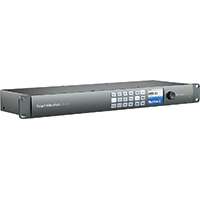
Ex-Showroom Blackmagic Smart Videohub 12x12
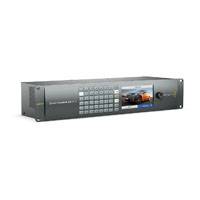
Ex-Showroom Blackmagic Smart Videohub 12G 40x40
Our services
Lens Coverage Tool
Every day customers ask us a variation on this question: “Will this lens cover that sensor?” Of course, we are always happy to answer and discuss these questions in more detail, but we thought it would also be useful to create a database to quickly show how different lenses will cover a camera – or to compare coverage of different cameras using the same lens.
Find out moreProRepairs
We are immensely proud of our manufacturer-approved broadcast service and repair centre which is the only Sony ASC achieving repair status under every product category. As such we are authorized to perform 'free' PrimeSupport in-warranty repairs to any legitimately EU-sourced Sony Broadcast & Professional equipment.
I Need a RepairResource Centre
Your go-to destination for in-depth insights, expert reviews, and the latest trends in the world of cinematography and photography. Our team of industry experts and guest contributors bring you the most relevant and up-to-date content, ensuring that you're always at the cutting edge of the evolving media landscape.
Learn MoreSpare Parts
We stock a wide variety of spare parts from manufacturers such as Canon, Sony, Nikon, ARRI, RED and just about everyone else. If you're looking for a specific spare part, one of our professional repair team will try to source it for you.
Find out moreCVP TV
CVP Group is unique in the UK in that it is owned and managed by broadcast and professional video practitioners who have direct front-line user experience of the products they sell. Find us on CVP.TV where we share product reviews and live footage of Events all over the world.
Watch moreEvents
CVP holds a number of different events, everything from product demos to education sessions to make sure you're using your equipment to its full potential. Find what event is right for you.
See What's onCVP Education
We understand the importance of education and we offer preferential pricing to all bona-fide educational establishments wherever possible, whether that be a one-off equipment order or a specialist design and installation of bespoke multimedia facilities, we have you covered.
Find out moreTailored Finance
We understand the importance of finding a solution that caters to your individual needs, whether selling or trading old equipment, refinancing, interest free, payment holidays, or the ability to quote and supply new equipment on a job, we will work with you to create a bespoke package tailored to your individual circumstances.
Find out more